
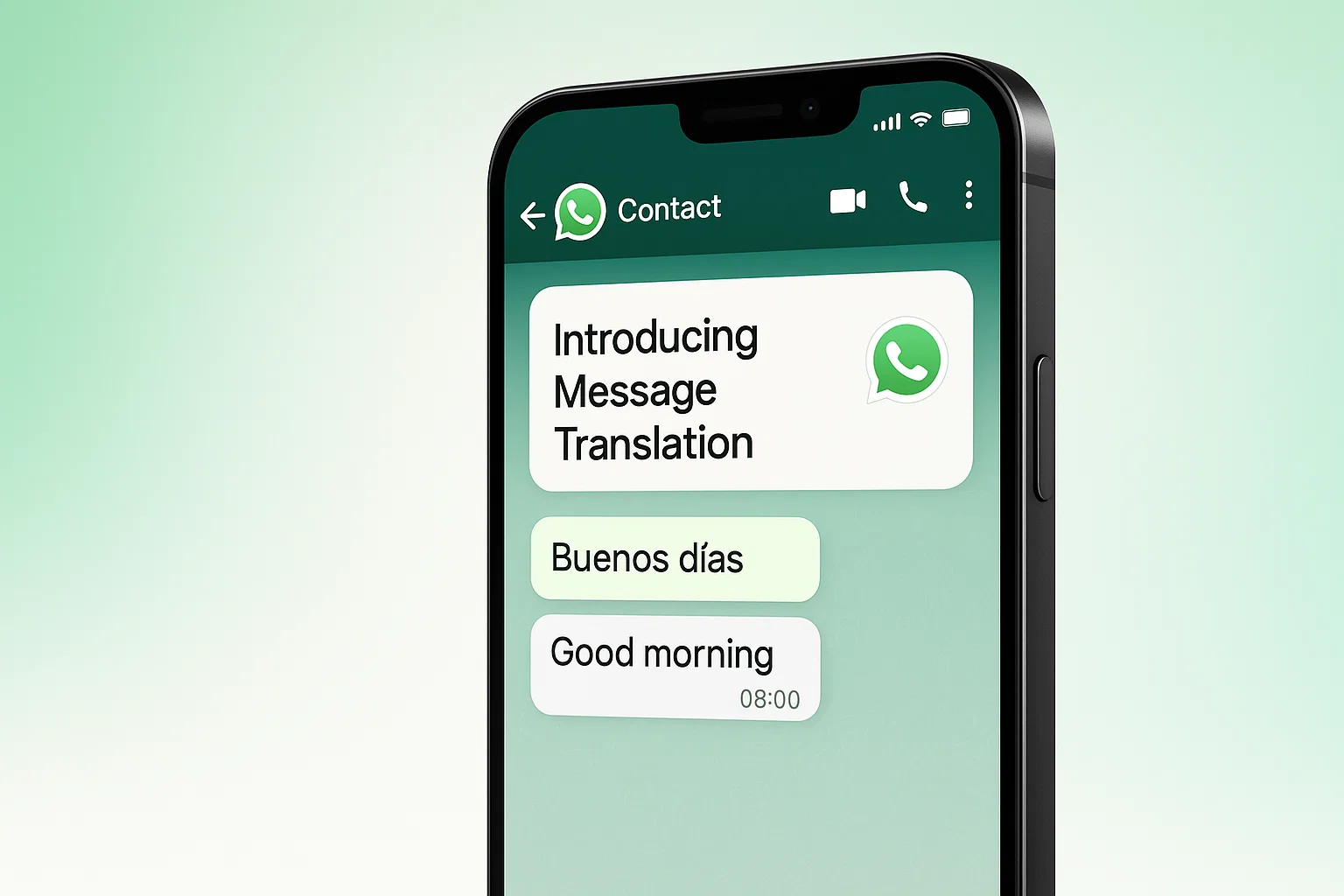
When Words Divide, Technology Builds Bridges
For centuries, language has been both a bridge and a barrier. It carries our culture, our identity, and our emotions — but it can also separate us. In a hyper-connected world, where families are spread across continents, businesses serve global clients, and friendships spark across borders, communication often hits a wall when languages differ.
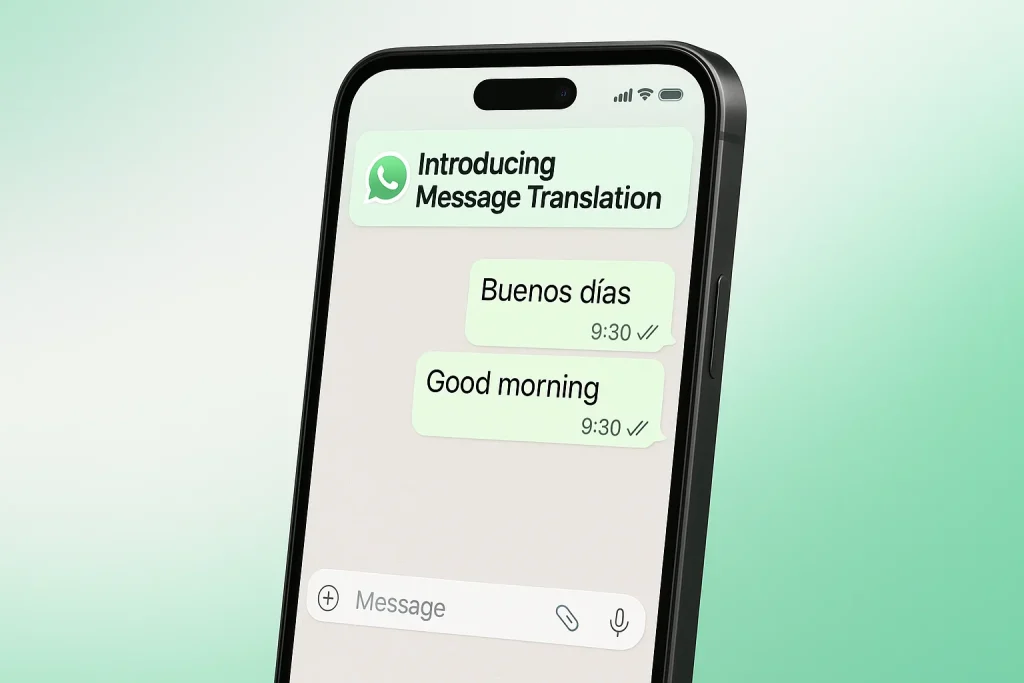
Now, WhatsApp — the world’s most widely used messaging app — is breaking down those walls with its new Message Translation feature. More than just a convenience, this feature is a step toward making digital communication truly universal, where every voice can be heard, understood, and valued.
What’s New: Message Translation in WhatsApp
The update is simple yet profound. With the rollout of Message Translation, WhatsApp users can:
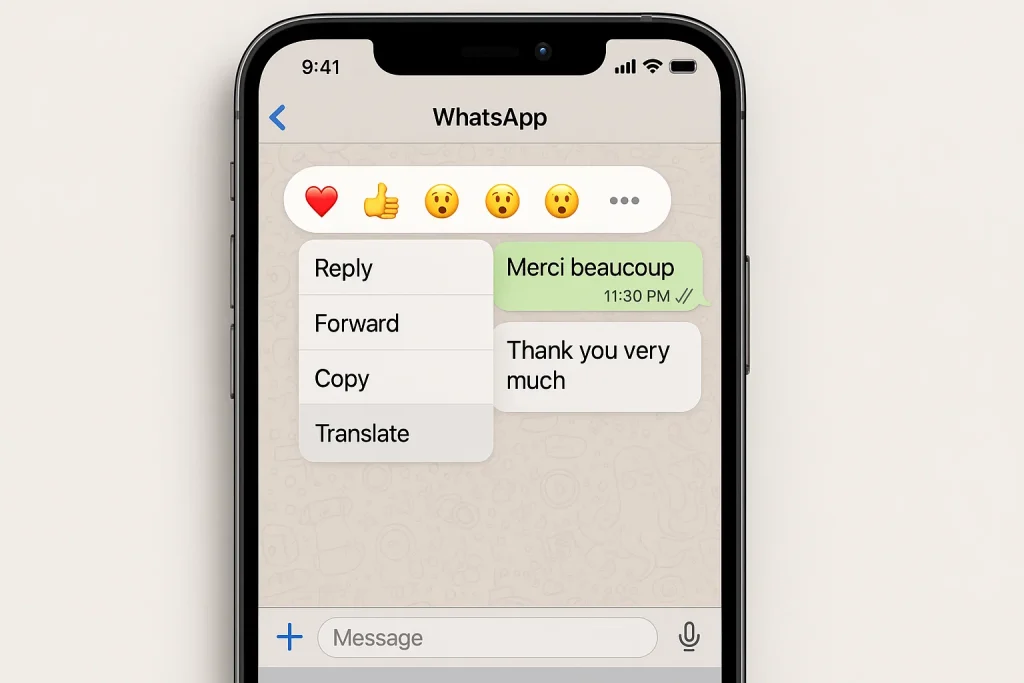
Translate instantly: Long-press any message, tap “Translate,” and see the text in your language.
Use it everywhere: Works across private 1:1 chats, group conversations, and even in Channels.
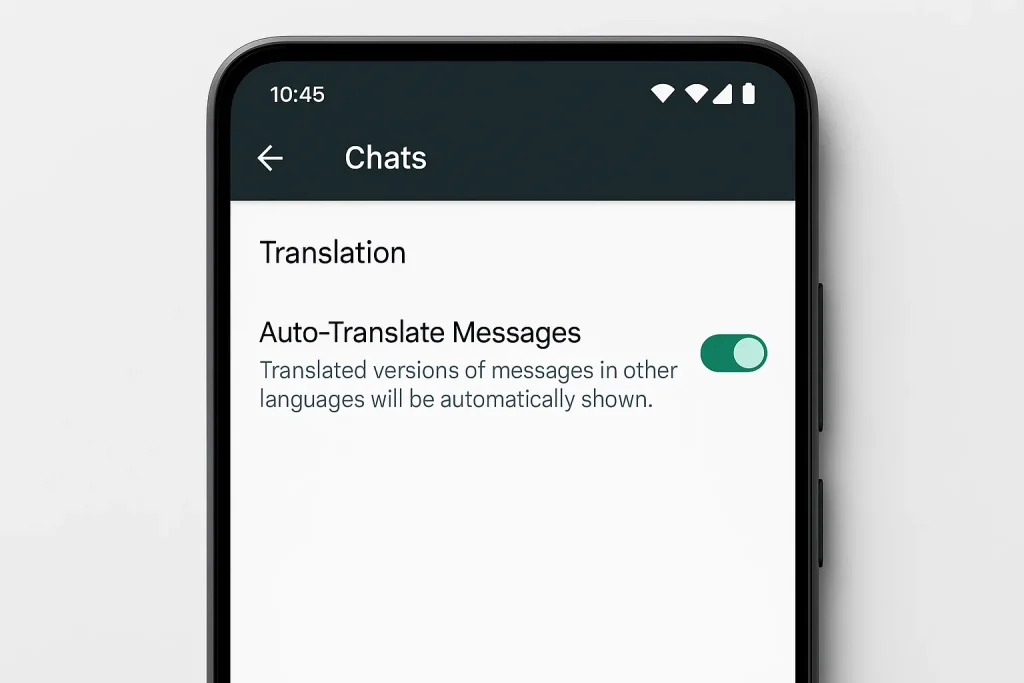
Go automatic (Android): Toggle auto-translation for entire chats or groups so you never have to repeat the gesture.
Enjoy wide coverage: iPhone users get support for 19+ languages, while Android starts with 6, with more rolling out.
It’s not just a button. It’s a cultural bridge that integrates seamlessly into the way people already use WhatsApp.
How to Use WhatsApp’s Message Translation
Using the new feature is refreshingly simple — no extra apps, no copy-pasting, no leaving your chat. Here’s how:
On Android:
Open any chat, group, or Channel.
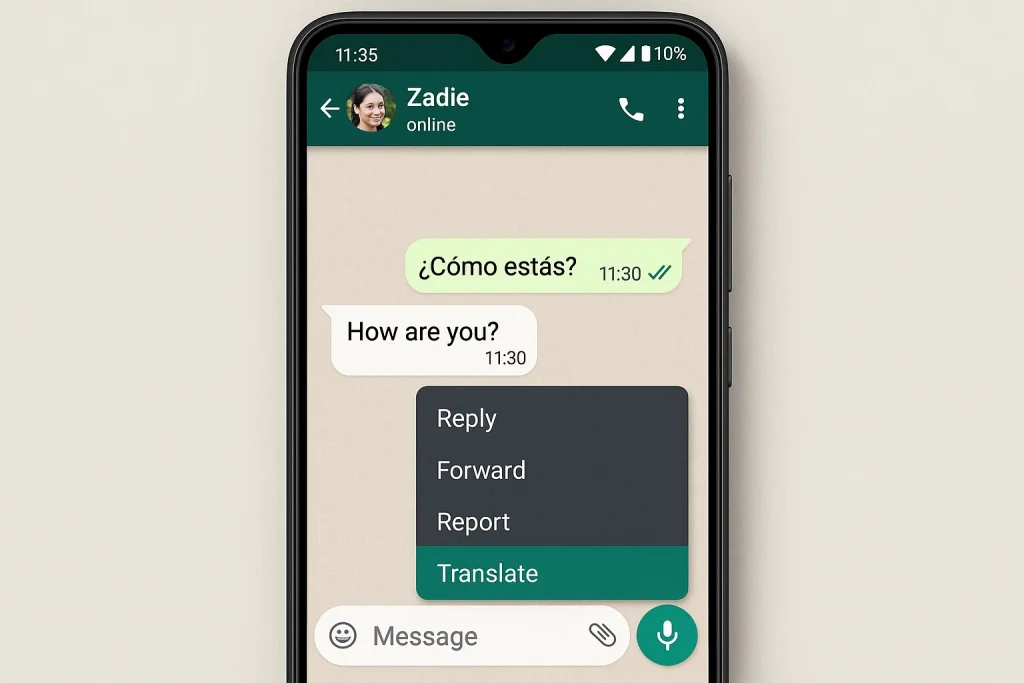
Long-press the message you want to translate.
Tap Translate from the options menu.
The translated text instantly appears below the original message.
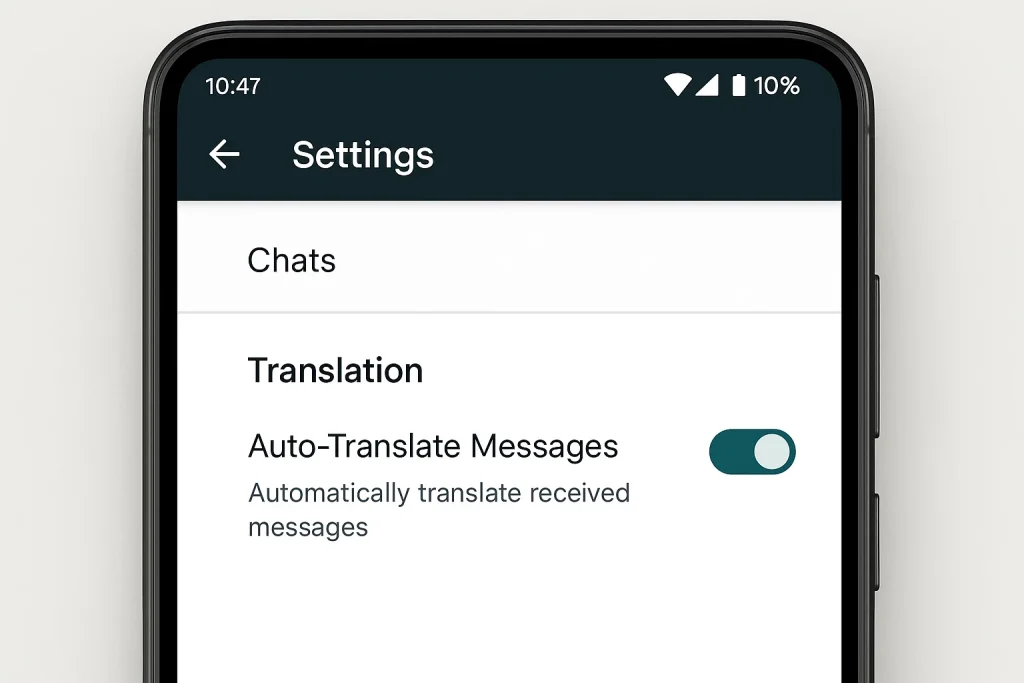
To save time, go to Chat Settings → Translation → Auto-Translate and enable automatic translation for specific chats or all conversations.
On iPhone:
-
Open a chat, group, or Channel.
-
Long-press the message you want to translate.
-
Tap Translate.
-
Choose your preferred language (from 19+ options).
-
The translated message displays instantly, without leaving WhatsApp.
💡 Pro Tip: You can change your default translation language anytime in Settings → Chats → Translation.
Visual Examples: What It Looks Like
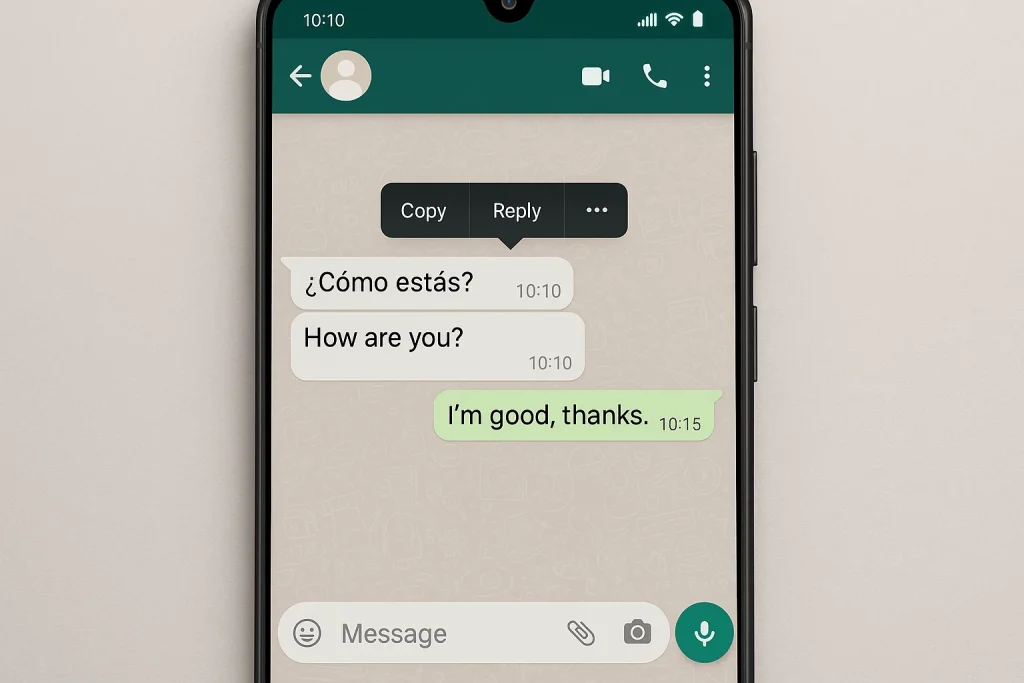
WhatsApp Chat Translation (Android)
A realistic mobile screenshot-style render of a WhatsApp chat on Android. One message in Spanish (“¿Cómo estás?”) is long-pressed, with the options menu open. The “Translate” option is highlighted in green. The translated text appears directly below as “How are you?”.
WhatsApp Chat Translation (iPhone)
A lifelike iPhone-style WhatsApp chat screen. A message in French (“Merci beaucoup”) is long-pressed, and the pop-up menu shows “Translate” as a selectable option. Below, the translated text shows “Thank you very much.”
Auto-Translate Settings (Android)
A screenshot-style render of WhatsApp settings on Android. The screen shows Chat Settings → Translation, with a toggle switch labeled “Auto-Translate Messages” turned ON.
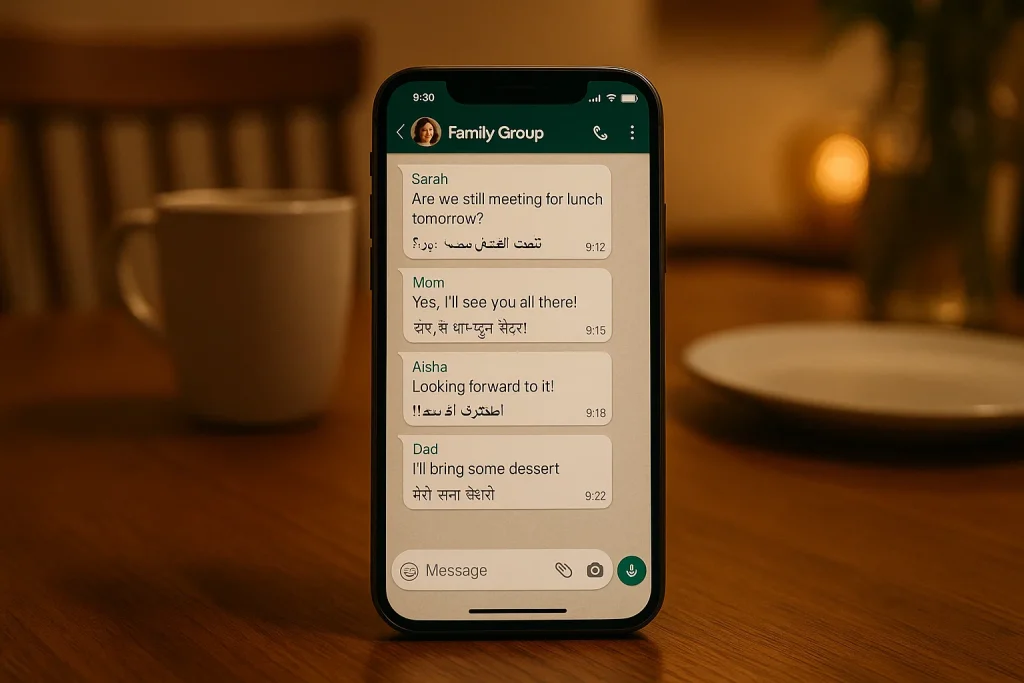
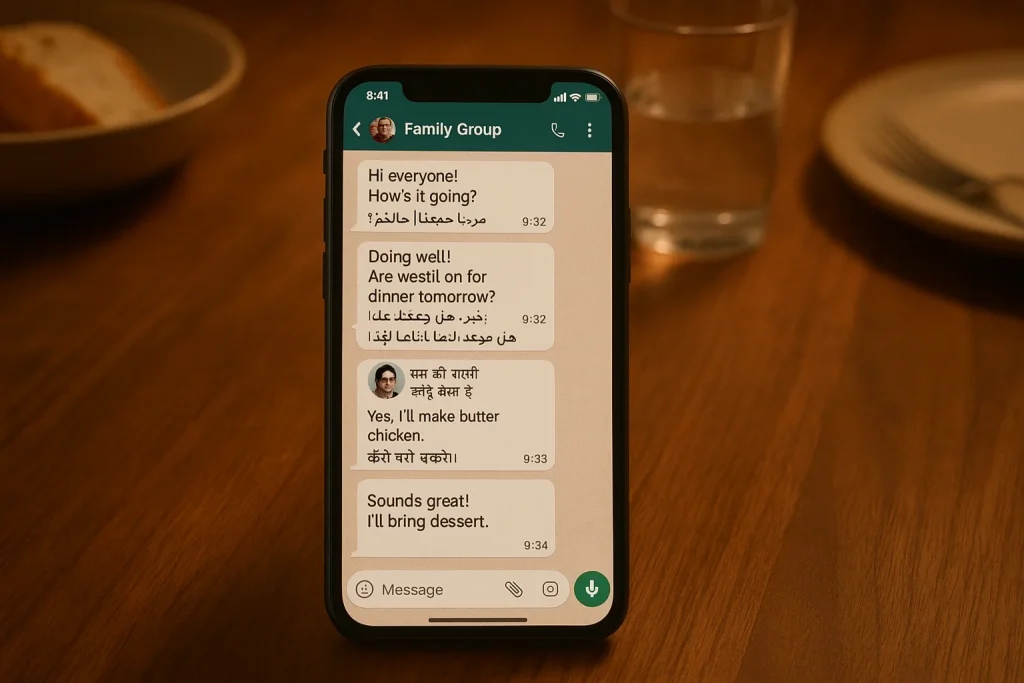
Lifestyle Use Case (Family Group Chat)
A photorealistic WhatsApp group chat mockup on a smartphone. Family members send messages in English, Arabic, and Hindi. Each message shows both the original and translated text beneath it. The phone rests on a wooden dining table, symbolizing inclusivity across generations.
Privacy First: Why On-Device Translation Matters
One of WhatsApp’s strongest differentiators has always been privacy. In an era where free apps often monetize user data, WhatsApp continues to emphasize trust.
With Message Translation:
Translations happen on your device, not on WhatsApp servers.
The feature does not compromise end-to-end encryption.
It ensures that sensitive or personal conversations stay just as secure as before.
This approach makes WhatsApp stand out against third-party translation tools, which often route text through external servers, raising concerns about data security.
Why This Matters Globally
Message Translation is not just about convenience — it has the power to reshape relationships, communities, and even economies.
Families Reconnected
For migrant families, WhatsApp is often the lifeline that keeps generations connected. Now, grandparents can read messages from grandchildren abroad without confusion. Parents working overseas can follow group chats at home more easily.
Businesses Unlocked
Freelancers, small businesses, and entrepreneurs often serve international clients through WhatsApp. Message Translation lets them close deals, answer questions, and build trust without language anxiety.
Communities Empowered
From humanitarian groups to online fan clubs, diverse communities thrive on WhatsApp. Translation ensures no one feels excluded from group dynamics because of language.
Travelers Freed
Tourists abroad can manage itineraries, confirm bookings, and even navigate emergencies — all within WhatsApp, without switching apps.
Comparisons: How WhatsApp Stacks Up
To understand the impact of this feature, it helps to compare WhatsApp with its rivals:
| App | Translation Options | Strengths | Weaknesses |
|---|---|---|---|
| Built-in, on-device, automatic (Android) | Privacy-first, seamless, multi-chat support | Limited initial languages on Android | |
| Telegram | Bots or third-party plugins | Flexible community tools | No native, secure, integrated translation |
| iMessage | Minimal translation support | Deep iOS integration | Limited languages, only within Apple ecosystem |
| Google Translate app | 100+ languages | Accuracy, wide coverage | External app, breaks chat flow, raises privacy concerns |
WhatsApp offers the most natural, private, and seamless experience for day-to-day multilingual communication.
Beyond Messaging: A Cultural Shift
This feature also hints at a bigger story: how messaging apps are evolving from tools of connection to platforms of inclusion.
WhatsApp is no longer just about texts, calls, or payments. It’s about creating a shared digital language.
It democratizes access to communities where English (or any one language) is not the default.
It helps level the playing field for users in emerging markets who interact across borders.
The Road Ahead: What’s Next for Translation?
While the feature is impressive, there’s room for growth:
More languages on Android to match iPhone parity.
Voice and video translation, a natural next step for global calls.
Contextual translations that consider slang, tone, or culture.
If WhatsApp continues iterating, Message Translation could become the gold standard for multilingual communication.
Smart Questions, Straight Answers
Q1. What is WhatsApp’s Message Translation feature?
A new update that lets users translate messages instantly within chats, groups, and Channels.
Q2. How does it work?
On both Android and iPhone, long-press a message and tap “Translate.” On Android, you can also enable auto-translation for entire chats.
Q3. Is my privacy protected?
Yes. Translations are done on-device, and your end-to-end encryption remains intact.
Q4. How many languages are supported?
iPhone supports over 19 languages, while Android starts with 6 and will expand.
Q5. How is this different from Google Translate?
Unlike external apps, WhatsApp integrates translation directly into conversations with better privacy and convenience.
Q6. Can I use it for business?
Absolutely. It’s designed for personal, professional, and group communication — ideal for small businesses or freelancers with global clients.
A World Without Barriers
WhatsApp’s Message Translation is more than a software update. It’s a promise — that communication in the 21st century should be inclusive, human-centered, and barrier-free.
By weaving translation into the very fabric of its chats, WhatsApp reminds us that technology at its best doesn’t just connect devices — it connects people.
And in a time when the world feels divided, that’s the kind of innovation we need most.

