
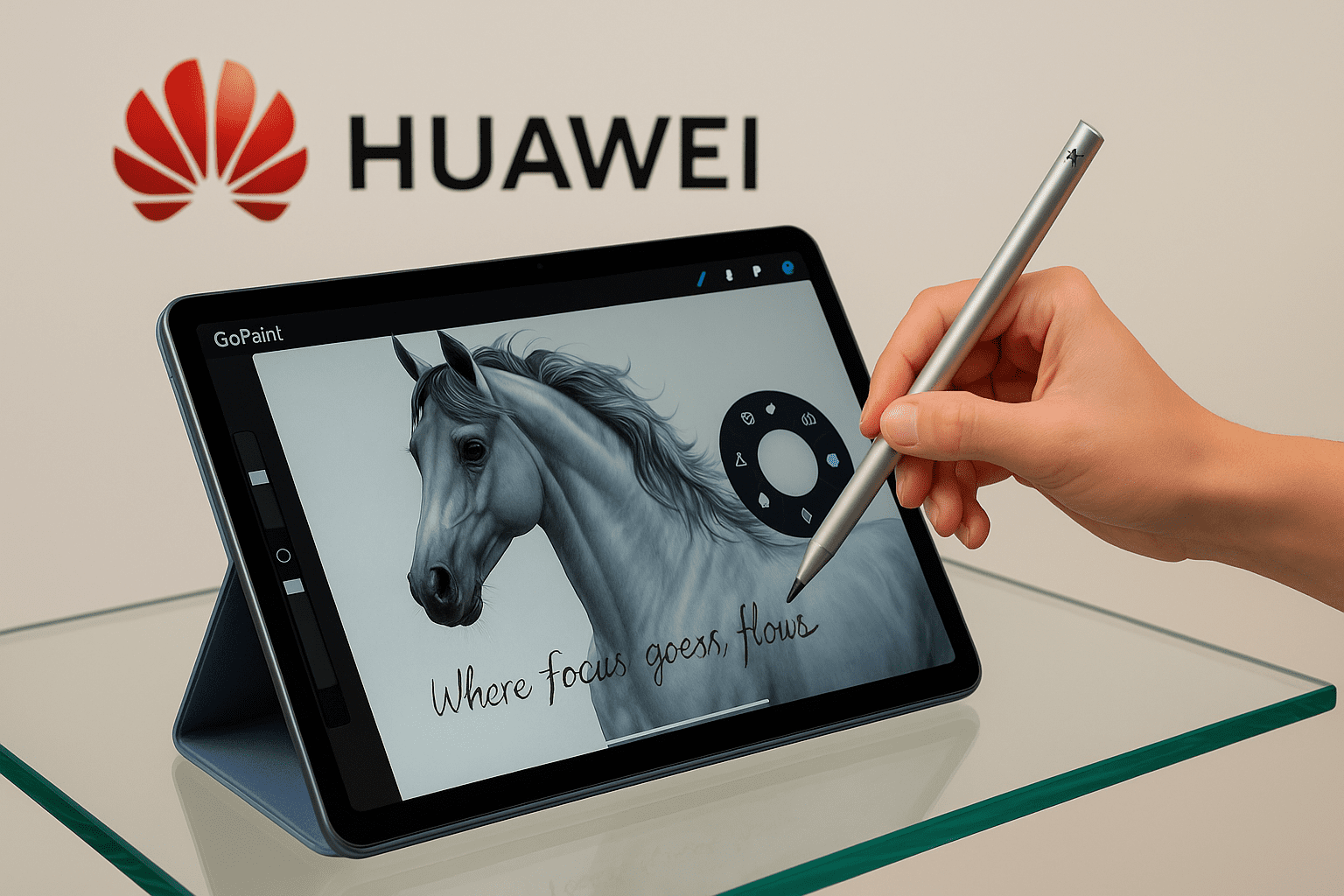
MatePad 12 X with GoPaint
Paper feel. Pro speed.
There’s a small second before an idea meets the surface. Your hand settles, the angle clicks, the breath steadies. For years, digital tools have interrupted that second: menus jumping in, toolbars hiding away, inspiration thinning out. We gained endless layers—and lost the rhythm that makes a line feel alive.

With HUAWEI M-Pencil Pro and the new GoPaint experience, that rhythm returns to you. Pinch once and a radial menu blooms under your hand—brushes, colors, shapes, right where you need them. Double-tap and your tool switches instantly, without taking your eyes off the stroke. Rotate the pen, and the brush angle shifts mid-motion as if you’re rolling a real pencil between your fingers. A gentle haptic tick says “done,” and the line keeps breathing. With 16,384 levels of pressure, three specialized tips (writing, ultra-fine writing, painting), and a quick button that jumps straight into GoPaint or Notes, glass begins to behave like a notebook that understands you. It isn’t about “more features”; it’s about fewer roadblocks—so the fast idea becomes a finished line before the moment slips away.

GoPaint × HUAWEI M-Pencil Pro: Flow that respects your hand
Keep the pen moving. It’s the quiet rule of every maker, teacher, designer, and engineer. When a tool interrupts you, it steals more than seconds—it steals the breath inside an idea. GoPaint with HUAWEI M-Pencil Pro gives that breath back. Pinch, and the tools meet your hand where it already is. Rotate, and the line changes character without breaking. A light vibration says, “You’re good—keep going.” With 16,384 pressure levels, an ultra-fine tip for dense notes, and a quick button that opens what you need, the distance from thought to line shrinks to almost nothing.
We can’t control markets or headlines, but we can control momentum. Huawei’s habit of building end-to-end—sensors, software, on-device intelligence, and local-first privacy—turns headwinds into practical angles. Explain the plan everyone needs. Sketch the product no one expects. Teach the concept that finally “clicks.” Day by day, iteration by iteration, your work compounds—and the future leans, quietly, toward those who keep drawing it.
R&D: The reason Huawei devices feel like they understand you
-
Mate: stability, battery life, and productivity for professionals.
-
P / Pura: a design language and imaging craft that satisfy the eye.
-
nova: lightness and a youthful personality for everyday creators.
-
Mate X foldables: flexible workspaces that make pen input and multi-tasking feel second nature.
This heritage is why M-Pencil Pro + GoPaint feel cohesive: sensors, haptics, handwriting algorithms, and app UI working as one system to reduce friction and amplify flow.
Why GoPaint with M-Pencil Pro is “better than ever”
Gestures that mirror your hand
A new pressure sensor enables pinch / tap / double-tap with five pressure levels: a firm grip prevents accidental triggers; a light pinch opens the radial menu; a double-tap switches tools. A haptic confirms every action.

Rotation that changes character
Instead of lifting the pen to adjust angle, twist to rotate the brush mid-stroke—calligraphic thicks and thins, living texture, and natural shading as if you’re holding a real pencil.
16,384 levels of pressure
From a whisper-thin hairline to a full, rich fill—without banding or “stepped” gradients. It adds genuine value to Arabic calligraphy, product shading, and industrial design alike.

Three tips for the job
Writing, ultra-fine writing, and painting—from tight margins to broad, expressive strokes.
Quick button with a star ring
Jump straight into GoPaint, HUAWEI Notes, or any app you choose—small seconds that compound into serious gains.

Available today
Currently supported on HUAWEI MatePad 12 X.
We do the work so you get the performance you deserve
Huawei operates across 170+ countries with 14 R&D centers (Germany, Sweden, China, and more). That vertical integration is the secret behind the pen’s coherent feel—R&D isn’t an “add-on department”; it’s embedded in how the whole system is designed.
On-device intelligence delivers palm rejection, line smoothing, and shape assistance with low latency and privacy that defaults to local.
About your data—working beyond “the cloud by default”
Your sketches and notes are stored locally by default. Sync remains opt-in with clear permission prompts. You decide where your work lives and how it’s shared. It’s a practical answer for teams operating across different legal frameworks and data policies.
What it adds to your day
-
Industrial & product design: rotate for hatching and nuanced shadows; pressure to surface curvature; quick button to bounce canvas ↔ app.
-
Architecture & planning: precise line-weight hierarchy, clean hatching, and readable micro-labels with the ultra-fine tip.
-
Education & research: dense equations and narrow margins; double-tap to erase; haptics that confirm changes without breaking focus.
-
Content studios: the radial menu puts brushes and colors one pinch away; local files make handoffs between devices simpler.
Huawei stylus vs M-Pencil Pro
| Area | Previous Huawei Stylus | M-Pencil Pro |
|---|---|---|
| Gestures | Tap / double-tap | Pinch → radial menu + rotation + haptics |
| Pressure levels | High | 16,384 (smoother gradation) |
| Tips | Writing / Painting | Writing / Ultra-fine writing / Painting |
| App launch | — | Quick button with star ring for instant access |
M-Pencil Pro — the pen that understands your hand (four-brand snapshot)
| Stylus | Palette gesture | Angle rotation | Haptics | Pressure depth | Note |
|---|---|---|---|---|---|
| HUAWEI M-Pencil Pro | Pinch → radial menu | Yes (brush rotation) | Yes | 16,384 | Rotation blended with pressure |
| Apple Pencil Pro | Squeeze | Yes | — | Deep | Angle control supported in apps |
| Samsung S Pen | Button / air actions | Limited | — | Deep | Strong tilt & palm rejection |
| Microsoft Slim Pen 2 | UI palette | — | Yes | Deep | “Paper-feel” haptics in Office apps |
(Feature-level overview; confirm exact specs on brand sites before buying.)

Smart answers for everyday challenges
-
Store Data Locally first: work offline; choose sync or export later.
-
Latency & focus: on-device intelligence + haptic confirmation = less menu wandering.
-
Clear handoff: the ultra-fine tip keeps annotations legible across devices.
-
Effortless learning: pinch / rotation align with natural hand behavior, so the “learning curve” disappears.
Frequently Asked Questions
What’s new in M-Pencil Pro with GoPaint?
Pinch for the radial menu, double-tap to switch tools, rotation for brush angle, haptic confirmation, 16,384 pressure levels, and three specialized tips.
Which device supports it now?
HUAWEI MatePad 12 X supports M-Pencil Pro today.
Why does rotation matter?
Because you can change the nib angle mid-stroke—shading and letterforms become more natural and fluid.
Is there haptic confirmation?
Yes—subtle vibrations when gestures trigger.
Can I work without Google services?
Yes. Your work is local by default; backup and sync are optional with clear controls and export paths you choose.
Who is it for?
Designers, architects, students, researchers, and content teams who want accuracy, speed, and fewer interruptions.
